TECHNOLOGY · AI CONTENT CREATION

Best AI creative platforms.

Five creative AI workspaces compared.

Compare Content24, Adobe Firefly, Higgsfield, Canva and Magnific by creative breadth, AI models, image and video generation, marketing workflows and how much of the content production process each platform can keep in one place.

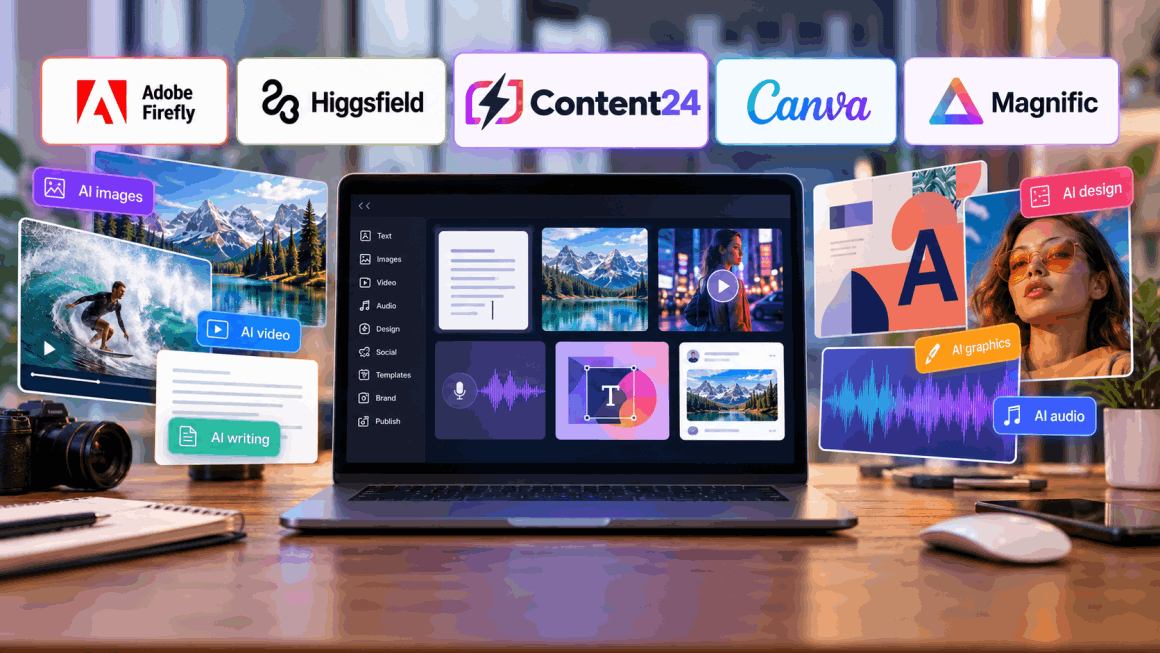
AI creative tools now range from specialist image enhancers to broad marketing workspaces. The right choice depends on whether you mainly need visual generation, professional creative control, campaign production, social content or an integrated environment spanning copy, images, video, audio and publishing.

AI creative content production workspace

AI content creation platforms now solve very different problems

The phrase “AI creative platform” covers products with very different priorities. Some tools are built to generate a single impressive image or video. Others focus on editing existing creative work. Some are design platforms with AI features added throughout, while broader marketing workspaces try to connect ideation, copy, images, video, social content and publishing in one place.

That distinction matters because switching between multiple specialist subscriptions can create friction. A marketing team may need written copy, product images, UGC-style videos, voiceovers, social posts, brand templates and approvals for one campaign. A specialist visual tool may offer deeper control in one area, but a broader platform can reduce handoffs and the number of separate tools required to complete the full campaign.

This comparison is based on the providers' current published capabilities rather than an independent quality test of generated outputs. AI tools change quickly, including their available models, usage limits and pricing. Before subscribing, test the workflows that matter to you and confirm current commercial terms, generation limits, licensing and brand-management features.

AT A GLANCE

Five AI creative platforms compared

The key difference is scope: some platforms specialise deeply in visual generation, while others cover a much broader marketing and content-production workflow.

AI creative platforms: breadth, specialist strengths and best fit
Platform Published focus Creative breadth Shortlist when Check before choosing
Adobe Firefly Professional AI generation and editing for images, video, audio, vectors and design Broad visual creative suite closely aligned with Adobe workflows You want advanced visual creation and editing with professional creative controls Creative Cloud integration, credits, partner-model access and commercial workflow
Higgsfield Professional AI image and cinematic video generation with multiple models and camera control Deep visual and video specialisation You prioritise cinematic visuals, motion control and leading image/video models Generation allowance, model availability and whether you need wider marketing tools
Canva Design platform with AI-assisted design, image, video, writing and content resizing Very broad design-led content environment You want accessible design, templates and AI features in a familiar visual editor AI usage limits, advanced model access and whether specialist generation control is required
Magnific AI image upscaling, enhancement, transformation and generation Specialist image-focused tool Your main need is improving, enlarging or reimagining existing images Whether image enhancement alone covers the wider workflow you need

On smaller screens, scroll sideways to view the full table. AI models, features and allowances change frequently, so check each provider's current plan before subscribing.

02 · PROFESSIONAL GENERATIVE CREATIVE SUITE

Adobe Firefly

Adobe Firefly has developed into a broad professional generative environment covering images, video, audio, vectors and design. Current Firefly tools can generate and edit images, create video from text or images, work with audio and voice, build visual concepts in Boards and increasingly connect generation and editing inside one browser-based workspace.

Its strongest fit is professional visual creation. Firefly offers controls around framing, camera movement, editing and visual refinement, and it sits naturally alongside Adobe's wider creative ecosystem. Adobe also now incorporates partner models alongside its own technology. For designers, creative teams and existing Creative Cloud users, that combination can be particularly attractive. Marketers looking for campaign workflows extending deeply into copy, social publishing and all-in-one marketing operations should compare that visual strength with broader marketing-focused platforms.

Explore Adobe Firefly ↗

03 · CINEMATIC IMAGE AND VIDEO GENERATION

Higgsfield

Higgsfield is a highly visual AI platform aimed at professional image and video generation. Its current image workspace brings together several leading generation models and supports image generation, inpainting, consistent characters and high-resolution output. Its video platform goes further into cinematic controls, reference frames, motion transfer, camera movement and model choice.

This makes Higgsfield especially compelling for creators focused on visual advertising, product content, social video and cinematic output. Users can access models such as Sora, Kling, Veo, Seedance and others from one environment rather than treating each model as a separate tool. The trade-off is focus: Higgsfield goes much deeper into advanced image and video production than into the wider copywriting, SEO, website, social publishing and marketing-management workflow covered by a broader platform such as Content24.

Explore Higgsfield ↗

04 · ACCESSIBLE AI-ASSISTED DESIGN PLATFORM

Canva

Canva combines a mature visual-design platform with an expanding collection of AI features. Magic Studio and related tools cover AI-assisted design, image generation and editing, writing, resizing, presentation creation and video workflows. Its core strength remains accessibility: users can move from generated content into templates, brand assets and finished designs without requiring professional design software.

Canva is therefore a strong option for social teams, small businesses and organisations that produce a high volume of templated visual content. Magic Media can create images and short videos, while Canva's broader editor makes it straightforward to turn those assets into posts, presentations, ads and other deliverables. It is less specialised than Higgsfield for cinematic generation and less focused than Content24 on bringing a broad set of dedicated AI marketing tools and leading external models behind one login.

Explore Canva ↗

05 · SPECIALIST AI IMAGE ENHANCEMENT

Magnific

Magnific is the most specialist platform in this comparison. Its core proposition is AI image upscaling, enhancement and transformation, allowing users to increase resolution while also adding or reimagining detail. Prompts and creativity controls can guide how much the source image is altered rather than simply enlarging existing pixels.

That specialisation makes Magnific attractive to photographers, illustrators, game artists, designers, architects and other users who already have imagery but need higher resolution, richer detail or creative reinterpretation. It can also generate images, but it is not trying to replace an entire marketing stack. Buyers who need writing, social production, campaign workflows, audio and video creation will therefore need additional tools, while buyers whose main problem is image quality may prefer its focused approach.

Explore Magnific ↗

MAKE YOUR SHORTLIST PRACTICAL

Three checks before choosing an AI creative platform

Count the tools you can actually replace

An all-in-one platform creates more value when it genuinely replaces several subscriptions. List the tools currently used for writing, images, video, audio, social content and approvals, then compare the combined workflow rather than one headline feature.

Test the formats you produce most often

A tool can look impressive in demos but still be a poor fit for your day-to-day content. Test product shots, ads, social posts, short-form video or whatever your team actually creates before committing to a larger plan.

Compare limits as well as features

AI plans often vary by credits, model access, generation length, resolution, team seats and commercial usage. A feature being available does not necessarily mean it can be used at the volume your organisation needs.

PUT THE OPTIONS IN CONTEXT

How to choose the right AI content creation platform

Start with the output, not the technology. A social-media team producing dozens of campaign assets each week has a different requirement from a filmmaker exploring cinematic AI video or a designer upscaling finished artwork. The platform should fit the work your team has to ship, not simply offer the longest feature list.

Next, look at model choice. Some platforms build heavily around their own models, while others increasingly aggregate technology from several providers. Access to multiple models can be useful because one model may perform better for photorealistic images, another for typography and another for video. The practical question is whether switching models inside one workspace improves the team's output enough to simplify its subscription stack.

Workflow is equally important. Generating an image is only one step in a campaign. The asset may still need copy, resizing, video adaptation, voiceover, approval and publishing. A broad platform can reduce movement between applications, while a specialist platform may justify extra handoffs by delivering deeper control in its chosen area.

Finally, consider brand consistency and collaboration. Marketing teams need more than individual generations: they need brand voice, logos, visual rules, reusable templates, shared project context and approval processes. If several people contribute to the same campaigns, those team and brand features can have more operational value than another generation effect.

COMMON QUESTIONS

AI creative platform questions answered

What is an AI creative platform?

An AI creative platform uses generative AI to help produce or edit content such as text, images, video, audio or designs. Broader platforms may also include brand controls, team workflows, social tools, templates and publishing.

Is an all-in-one AI platform better than specialist tools?

Not automatically. An all-in-one platform can simplify workflows and reduce subscriptions, while specialist tools may provide deeper control or higher-end features for a particular task. The best choice depends on whether breadth or specialist depth matters more.

Can AI platforms create complete marketing campaigns?

Some can support much of the process, including campaign ideas, copy, images, video, audio and social assets. Human review is still important for strategy, factual accuracy, brand judgement, compliance and final approval.

Why does access to multiple AI models matter?

Different models can have different strengths. A multi-model platform can let teams choose the most suitable model for a task without maintaining separate accounts, although model access and usage allowances should be checked carefully.

What should marketing teams test before subscribing?

Test the team's most common real-world workflow from start to finish. Check output quality, editing, brand consistency, collaboration, export options, model availability, generation limits and how easily the content can move into publishing or approval.